My AI Free Traffic Generator Review
New Product Review: My AI Free Traffic Generator
You have a good offer, a solid article or a video that deserves more eyes, but every time you sit down to promote it you stare at a blank page and wonder what to post, where, and in what order. This review covers what My AI Free Traffic Generator actually does, how I would use it, where it falls short, and who should skip it. My honest verdict: it is a practical workflow tool for people who already have content and want a repeatable way to brief an AI for free promotion, but it is not a shortcut to traffic on its own.
What My AI Free Traffic Generator Is
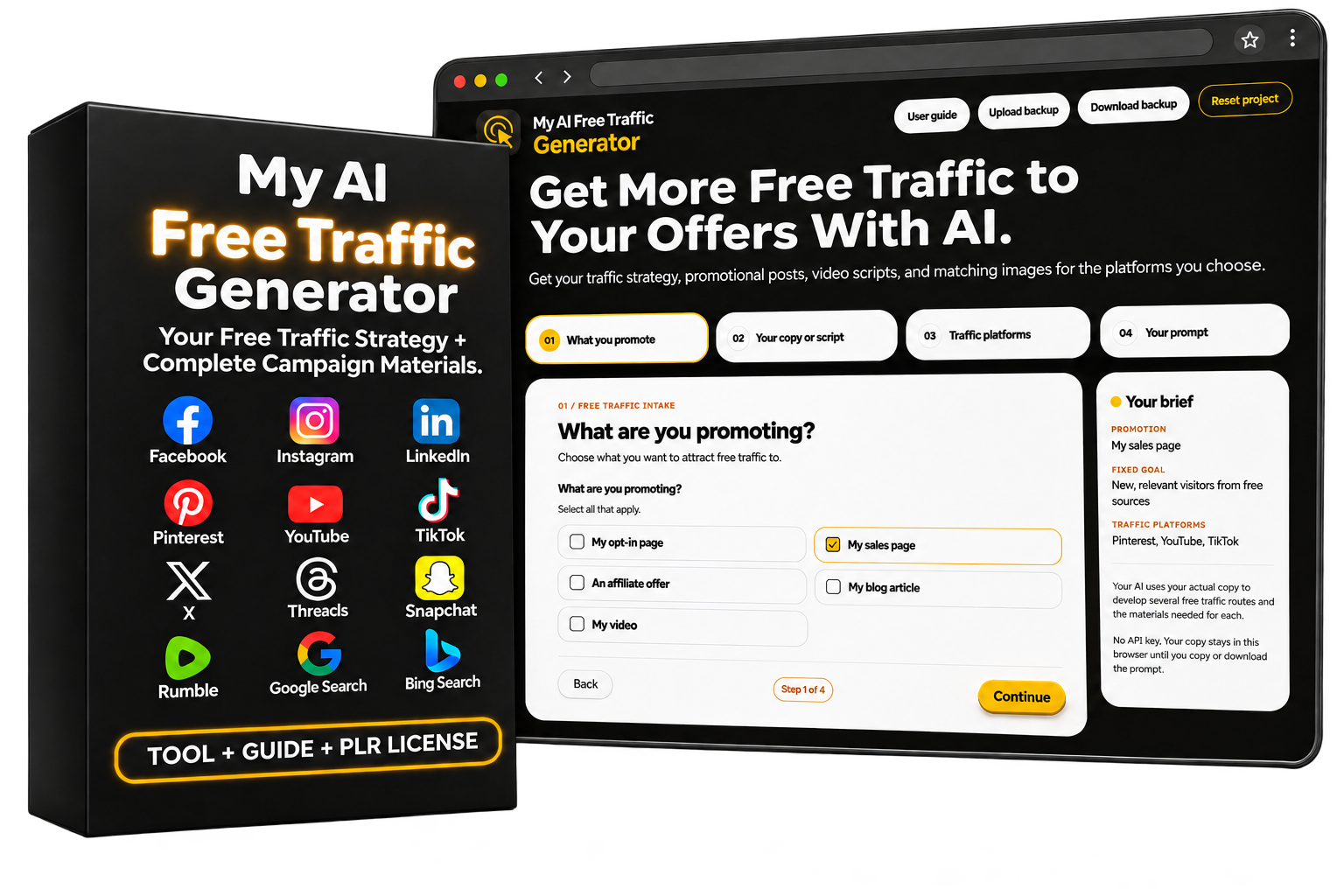
My AI Free Traffic Generator is a browser tool made by Mason13. You give it an existing piece of material, such as an offer, an article, an opt-in page or a video, and it builds a detailed copy-and-paste prompt for an AI assistant. The AI assistant then drafts a free traffic campaign based on that prompt.
The idea is simple. Instead of writing a long campaign brief from scratch each time, you let the tool build the brief from your source material and the platforms you pick. You then take that prompt to the AI assistant you already use.
The product also comes with PLR rights. In plain terms, PLR means private label rights, and the license lets you rebrand the tool and resell it under the permissions stated on the sales page. If you sell digital products or run a PLR business, that part may matter to you as much as the traffic workflow.
How It Works, Step by Step
The tool follows a guided four-step intake, so you do not have to know how to write a campaign brief before you begin. Here is the path a new user goes through.
- Choose your source. You pick what you are promoting, whether that is a sales page, an opt-in page, an affiliate link, an article or a video. The sales page says the tool covers five promotion types, so this first choice sets the rest of the intake.
- Paste your source copy. You add the text that describes your offer or content, such as a headline, the main points and the call to action. The more accurate this material is, the closer the draft will match what you actually sell.
- Select your publishing platforms. You tick the platforms you plan to use for the campaign. The tool then shapes the prompt so the AI drafts content for those selected places rather than a generic list.
- Copy the finished prompt into your AI assistant. The browser builds the prompt locally, and you paste it into the AI assistant of your choice. The AI then returns the campaign draft, which can include social posts, image concepts, follow-up emails and promotion ideas for existing videos.
The prompt also asks the AI for distinct matching images, carousel slides in a set order, and organised ZIP folder structures. That means the output is meant to arrive in a form you can work through rather than as one long block of text.
The Features That Matter Most
Builds the Prompt Without Using Your AI Allowance
The prompt is built locally in your browser, according to the sales page. That means the preparation step does not use up your AI assistant allowance while you are setting things up. You only use your AI assistant when you paste the finished prompt and ask for the draft.
For example, say you have an article you want to promote this week. You can shape the prompt several times, adjusting the platforms or the source text, without spending AI usage on each attempt.
No API Key or Tool Login Needed
According to the sales page, the tool does not require an API key or a login to a separate tool account. For a non-technical user, this removes a common setup hurdle. You open the browser tool, complete the intake and copy the result.
It is worth being clear about one thing. You still need an AI assistant to paste the prompt into. The sales page does not say which assistant to use or whether any particular paid plan is required, so check the terms of whichever assistant you choose.
One Workflow for Posts, Images, Emails and Existing Videos
The tool brings several promotion outputs into one workflow. Social posts, image concepts, follow-up emails and promotion of existing videos all come from the same intake. This matters because keeping your message consistent across channels is one of the harder parts of free promotion.
Imagine you have a three-minute video from last year that still gets views. You can run it through the intake as a video source and ask for posts, an email to your list and image ideas that point back to the same message. The result is a set of pieces that say the same thing in different formats.
Reusable for Every New Offer, Article or Video
Once you have been through the intake a few times, you know what information the tool needs from you. Each new offer, article or video follows the same path, so promotions do not start from zero every time. This reuse is the main time saving the tool offers.
A practical example: if you publish an article every week, you can keep the same four steps in your routine. The only new work is pasting the new article text and choosing the platforms for that week.
Matching Images, Ordered Carousels and Organised Folders
The prompt asks the AI for distinct images that match each post, carousel slides in order, and ZIP folder organisation. In practice, this means the output is more likely to arrive in a set you can file and upload, rather than a loose collection of ideas.
If you post carousels, the ordering request helps you avoid mixing up slide two and slide five when you upload. Organised folders are useful when you need to find the right asset for the right platform later in the week.
PLR License for Rebranding and Reselling
The product includes a PLR license that lets you rebrand the tool and resell it under the permissions stated by the vendor. Read the license terms on the sales page before you plan any resale, because the rights are defined there and not by me.
If you already sell marketing tools to clients, a rebrandable workflow can fit into what you offer. If you only want to promote your own content, you can ignore this part entirely.
Who It Is For, and Who It Is Not For
This tool fits certain people well. It is not a match for everyone, and I would rather you know that before you buy.
It is likely a good fit for:
- Product creators who want a repeatable way to promote launches without paid ads.
- Affiliate marketers who regularly promote other people’s offers and want consistent campaign drafts.
- Bloggers and publishers who want to turn existing articles into posts and emails.
- List builders who need follow-up emails tied to their opt-in pages.
- Creators with a back catalogue of videos who want to bring old content back into view.
- PLR sellers who want a branded tool they can rebrand and resell under the stated license.
It is probably not a good fit for:
- People who have no offer, article, page or video yet, since the tool works from existing material.
- Anyone expecting paid-ads-level reach or guaranteed traffic from a campaign.
- Buyers who want someone else to post, reply and manage their accounts for them.
- People who do not want to review and edit AI-drafted content before publishing.
- Anyone who is not willing to use an AI assistant alongside the tool.
Pros and Cons
Here is a fair summary of where the tool stands, based on what the sales page describes and what the workflow requires.
| Pros | Cons |
|---|---|
| No API key or separate tool login is needed, according to the sales page. | You still need an AI assistant to paste the prompt into, and the sales page does not say which one to use. |
| The prompt is built in your browser, so preparation does not use your AI allowance. | AI-drafted content still needs review, so expect to check and adjust drafts before they go live. |
| One intake covers posts, images, emails and existing-video promotion across selected platforms. | The guided intake takes some practice, especially the first time you choose a promotion type and platforms. |
| Reusable for each new offer, article or video, which saves time on repeat campaigns. | The tool does not handle comments, replies or messages after you publish, so you need your own process for that. |
| Includes a PLR license for rebranding and reselling under the stated permissions. | Free traffic is slower and less predictable than paid reach, and nothing here guarantees results. |
My Exclusive Bonuses
When you buy through my link, you also get six bonuses. Each one is designed to fill a gap the tool leaves open, such as preparing your source copy, checking your links before you post and handling replies. Here is what each one contains and how it helps you move faster with the main product.
Bonus #1: Source Copy Worksheet
This workbook guides you through organising your source copy before you paste it into the browser tool. It helps you make sure the prompt reflects your actual product or affiliate offer. Because the draft starts closer to what you need, you spend less time editing it afterwards.
Bonus #2: Promotion Type Cheat Sheet
This cheat sheet helps you pick the right intake path for your content. It includes briefing instructions for a sales page, an opt-in page, an affiliate link, an article or a video. If you are not sure which path to choose, this removes the guesswork before you start.
Bonus #3: Pre-Publish Review Checklist
Use this checklist to review every AI-drafted post, image concept and email before it goes live. It also sets up a simple log to catch broken links, claims that do not match your offer and formatting errors. This is the step that keeps a fast draft from becoming a public mistake.
Bonus #4: Week One Posting Order
This action plan lays out a seven-day schedule for organising and posting your campaign content. It also explains how to record your campaign results accurately, which helps you judge what is working. It includes steps for preparing your assets if you decide to resell the tool.
Bonus #5: Account Readiness Checklist
This pre-launch checklist helps you confirm that your online profiles, bio links and lead capture funnels are set up before your first post. It also helps you check that every link and autoresponder works. Sorting this out first means your early traffic goes somewhere useful rather than to a broken page.
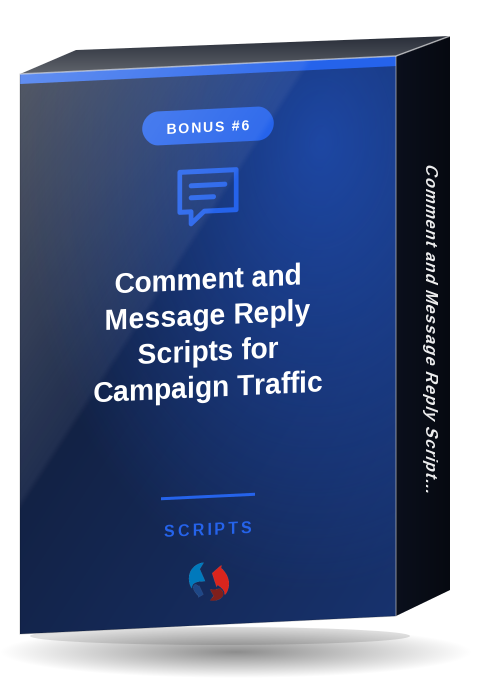
Bonus #6: Comment and Message Reply Scripts
This collection of fill-in scripts helps you respond to comments and direct messages that your posts bring in. The replies are written to be helpful and to point people toward your destination page, without a hard sell. This fills the gap the main tool leaves, since it does not manage conversations for you.
Taken together, the six bonuses cover the stages the tool leaves to you: preparing your copy, choosing the right path, checking before publishing, scheduling your first week, getting your accounts ready and replying to people. If you want the full set in one place, you can get it here Get the bonuses here.
Get My AI Free Traffic Generator with all my bonuses
How to Get My AI Free Traffic Generator … With All My Bonuses
Getting started takes three short steps, and you can finish them in one sitting.
- Open my link. Use my link so the bonuses are included with your purchase. Check the details on the page before you buy.
- Gather one piece of source material. Pick a single offer, article, opt-in page or video to test with, and use the Source Copy Worksheet to organise its text.
- Run your first intake. Follow the Week One Posting Order and the Pre-Publish Review Checklist so your first campaign is reviewed before it goes live. If you want the bonuses with your order, get it here Get the bonuses here.
Frequently Asked Questions
Do I need a paid AI plan to use this tool?
The sales page says the tool needs no API key or tool login, but you still paste the prompt into an AI assistant. It does not state whether any particular paid plan is required. Check the terms of the assistant you plan to use before you start.
Are the click numbers real or hypothetical?
The sales page does not provide click figures or case results that I can verify, so I will not quote any. Free traffic depends on your audience, your platforms and your content, and no tool can guarantee clicks. Treat the tool as a way to build campaign drafts faster, not as a promise of numbers.
Will the output be usable, or will I spend hours editing?
Expect to review and adjust the drafts, because AI output needs checking against your actual offer. The Source Copy Worksheet and the Pre-Publish Review Checklist are designed to reduce that editing time. The more accurate your source copy, the less you will need to change.
Can I rebrand the tool and sell it?
The product includes a PLR license that allows rebranding and resale under the permissions stated by the vendor. Read those terms on the sales page before you plan any resale. The Week One Posting Order also includes steps for preparing your assets if you decide to resell.
Does the tool post or reply for me?
No, the tool builds prompts and drafts, and you handle publishing yourself. It does not manage comments or messages after you post. The Comment and Message Reply Scripts bonus gives you fill-in replies for those conversations.
Final Verdict
My AI Free Traffic Generator is a practical workflow for people who already have content and want a repeatable way to brief an AI for free promotion. It is useful for product creators, affiliates, bloggers, list builders and PLR sellers, provided they are ready to review what the AI drafts. It is not a paid ads replacement, and it does not guarantee traffic.
If you have an offer or a back catalogue of articles and videos, and you are willing to put in the review work, this is worth a look today. Start with one piece of content, run it through the intake and see how much time the workflow saves you. To get the tool along with my bonuses, use my link and get it here Get the bonuses here.
Get My AI Free Traffic Generator with all my bonuses